May 20, 2026
Branding templates — redesigned
We gave the branding settings a big upgrade. Managing your templates is faster, your brand colors and fonts are right where you need them, and you can now see exactly how your design holds up across different types of images.
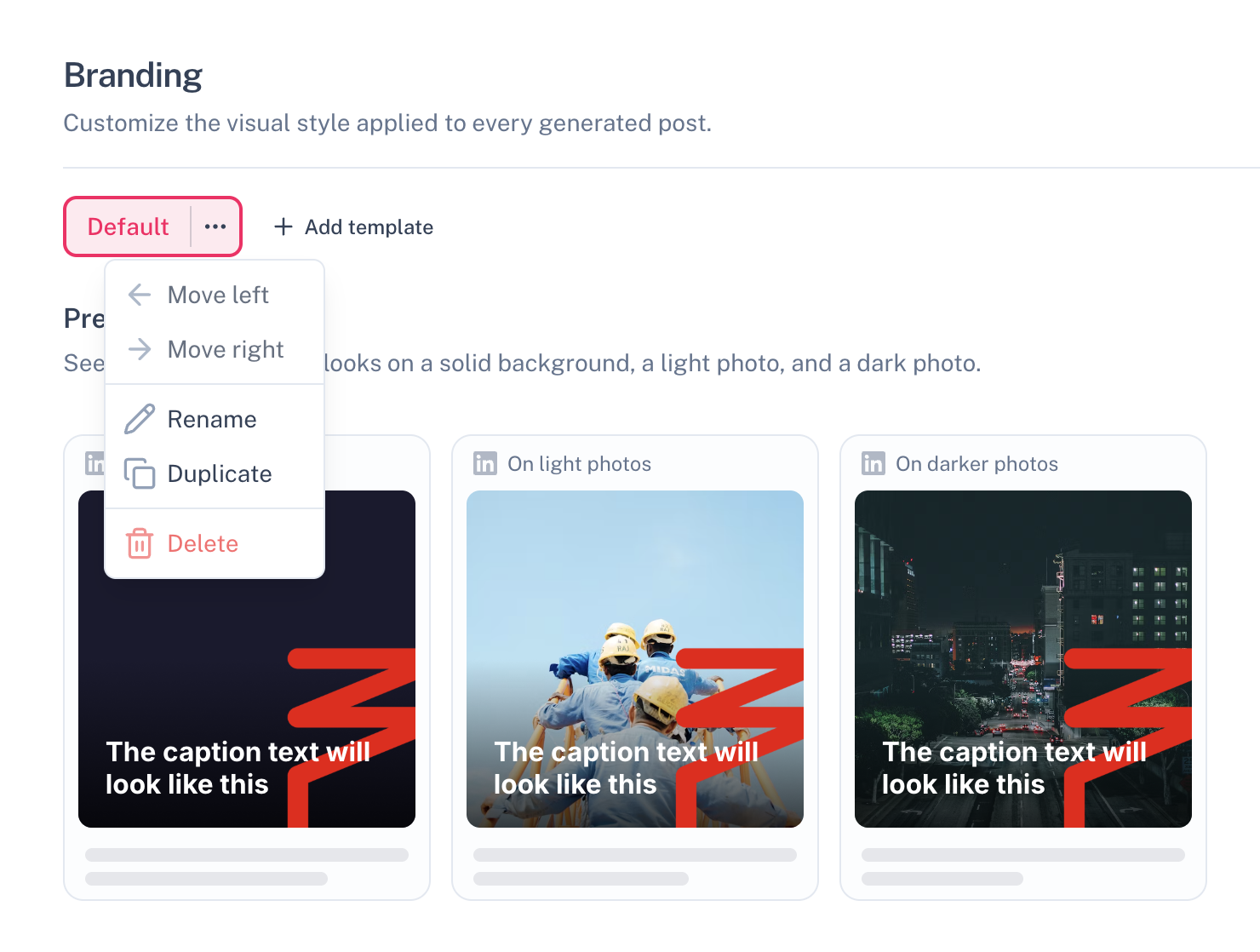
Template tabs with a dropdown menu
Every template tab now has a dropdown menu. Move a template left or right, duplicate it, rename it, or delete it — all in one click. You can also double-click a template name directly in the tab to rename it inline.
Your brand, detected automatically
Suze now shows the colors and fonts it detected from your website directly in the editor — no need to go looking yourself. Click a color swatch to apply it as background, or tap a font chip to try it instantly on your active template. Look for ✦ Detected by Suze to see what we found.
Three-way preview
See your template on a solid color background, a light photo, and a dark photo — side by side. So you know it looks great no matter what image Suze picks for your next post.